

Frequenty Asked Questions
Yes, you have access to your Eagle credit card transactions both Online and via our Mobile Apps. Go to the Credit Card menu on the left to view your specific card history.
The pin number for an ATM or Debit Card can only be changed at an Eagle Branch location.
If this is a first time order, checks can be ordered in an Eagle Branch or by calling a representative in the Member Service Center at (800) EAGLE CU (324-5328). If this is a simple check re-order, checks can be ordered by signing onto Eagle’s Online Banking and clicking order checks on the left hand side.
Yes, all CO-OP Shared Branches will be able to take a payment as long as your account is set up with shared branching access.
Yes, if they are a CO-OP Shared Branch, you can transact on your Eagle account. Search for shared branches on our website here, visit www.allco-op.org, search on the Eagle Mobile App, or download the CO-OP Shared Branch Mobile App locator.
You may apply for a loan the following ways:
- Online here
- By phone at (800) EAGLE CU (324-5328)
- At any Eagle Branch
Credit Card and loan payments can be made all of the following ways:
- In person at an Eagle or CO-OP Branch location
- By phone
- Within Online Banking or our Mobile App via the Credit Card menu
- By Mail or Bill Pay, but be sure to use the correct address below
MasterCard Payments
P.O. Box 10309
Des Moines, IA 50306-0309
It will take up to 2 business days for a payment to post to your account if made at a CO-OP location. This is a CO-OP branching requirement that cannot be changed.
This can be set up through Online Banking. You will need your routing number and account number for your other financial institution. First, go to Eagle’s website, www.eaglecu.org. Next, sign into Online Banking. Once logged in, on the left hand side you will see the Transfers tab. Click on this tab and under this tab select the “Other Institutions” tab. You will then need to enter the routing number and account number for your other financial institution. Then follow the additional steps to confirm and verify the transfer was successfully made to the correct account before transfers can begin.
You will have to log into your Eagle Online or Mobile Banking account. Once you sign in, on your left hand side you will see a tab for eDocuments. Click this tab and you will see a button to view eDocuments. Click view the eDocuments button. Make sure that you have enabled pop-ups from the Eagle Website. Once pop ups have been enabled, you will be able to see your account statements.
Only cash deposits made at an Eagle ATM are readily available. Those made at CO-OP ATMs are subject to holds and verification.
Zelle® is a convenient way to send and receive money with friends, family and others you trust through your bank or credit union’s mobile app or online banking. All you need is your recipient’s email address or U.S. mobile number, and money will be available to use in minutes if they’re already enrolled with Zelle®. Your account information and activity stay private. Zelle® is available in over 2,200 bank and credit union apps, so you can send money to friends and family even if they don’t bank at Eagle Community Credit Union.1
- Long Beach Federal Building: inside the building on the first floor in the lobby near the restrooms.
- Anaheim Postal and Distribution Facility: outside in the front of the building.
- San Clemente Post Office: in the lobby of the retail section of the post office.
- Huntington Beach Post Office: in the main lobby of the retail section of the post office.
See our ATM, Branch & Shared Branch Locator page for additional Eagle ATMs.
ATMs are programmed to put all checks on a hold due to Federal regulations. If you need the funds available immediately, we recommend you bring the check into an Eagle Branch to be verified.
Most bill payment payees can receive payments electronically, but there are still some that don’t and need to be cut and mailed a live check. Depending on how they receive it, and how long it may take on their side to receive and post the payment, the time it takes to post to your account may vary. Please plan for 5-7 business days to send the payment before it is due to ensure it is received on time.
Most checks will be placed on hold for two business days. To access Shared Branching, a picture identification card and knowledge of account number is required.
No. Voice authentication is not replacing our other security measures. It is an additional layer of protection that helps us verify your identity and make it more difficult for someone else to access your account. We will continue to use our existing security processes when needed to help keep your information safe.
No. The enrollment process happens in the background while we're assisting you, so there is nothing extra you need to do and it should not add significant time to your call. Simply continue speaking as you normally would. The goal of voice authentication is to help make future calls more secure and convenient.
Can my voiceprint be hacked?
The purpose of voice authentication is to help make it more difficult for someone else to access your account by adding another layer of verification. We continue to use security controls and standard verification processes to help protect your information.
If the system is unable to verify your voice, it doesn't mean you won't be able to get help. We’ll simply use our standard identity verification process to confirm it’s you and continue assisting you with your request.
Our voice changes from time to time—whether you're sick, have a cold, or your voice just sounds a little different. The system looks at the unique characteristics of your voice, not just the sound of your voice in that moment, to help verify your identity. If the system is unable to verify you, we'll simply use our standard verification process to make sure we can still help you.
The pin number for an ATM or Debit Card can only be changed at an Eagle Branch location.
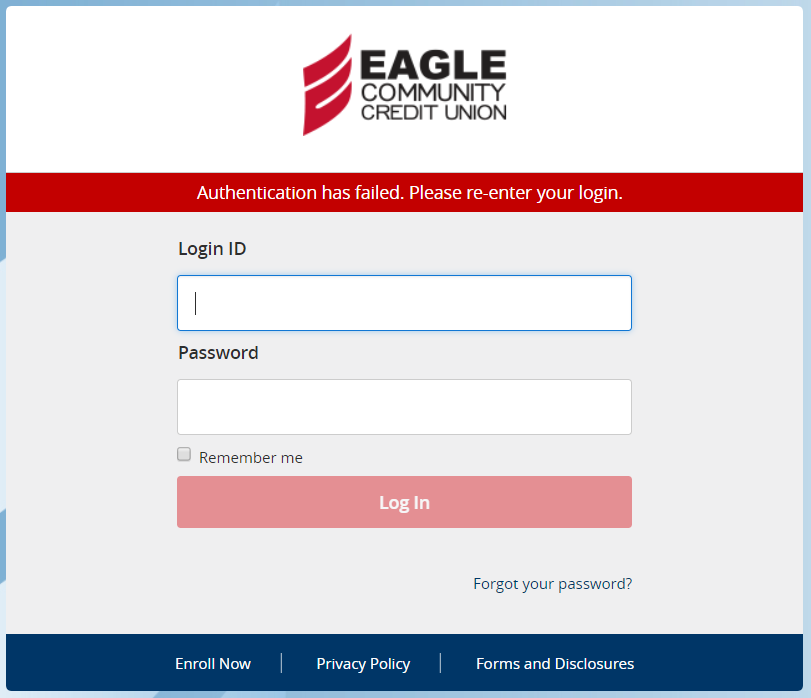
This message appears when one or both of the following happen at login:
- You have entered an incorrect Login ID or incorrect password.
- You can store your Login ID in your mobile device by turning on “Remember Me” on the login page. This will mask the majority of your Login ID and keep it stored on your device for you should you choose this option.
- Please remember if you have customized your Login ID you can no-longer use your membership number for your Login ID.
If you can’t remember your password, please click the “Forgot Password” link to reset your password. This will require you to receive a secure access code to verify your identity.
Credit Card and loan payments can be made all of the following ways:
- In person at an Eagle or CO-OP Branch location
- By phone
- Within Online Banking or our Mobile App via the Credit Card menu
- By Mail or Bill Pay, but be sure to use the correct address below
MasterCard Payments
P.O. Box 10309
Des Moines, IA 50306-0309
If you had access to Online or Mobile Banking in the past but are suddenly unable to access them, you could have a loan that is past due or there maybe something else going on with your account. Please contact us at (800) EAGLE CU so we can look into this for you.
Most checks will be placed on hold for two business days. To access Shared Branching, a picture identification card and knowledge of account number is required.
Go to main navigation
